
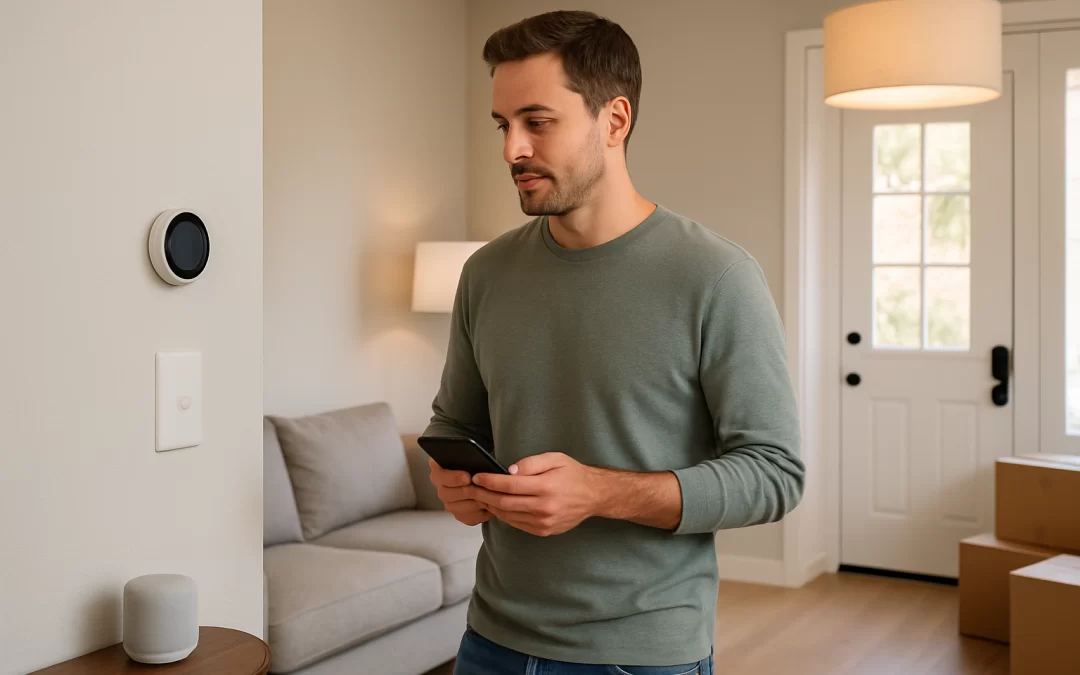
Best Smart Home Devices for New Homeowners: A Complete Starter Setup Guide
For new homeowners, the best smart home setup is a simple starter bundle that covers security, lighting, temperature control, and basic convenience without overwhelming your budget or your time. Expect to spend anywhere from $300–$1,500 on core smart devices in your first year, depending on how many rooms and doors you want to cover. Most devices are easy to install in an afternoon, but you will need to learn a few apps and do some basic troubleshooting. The tradeoff is that while smart devices add comfort and safety, they also add ongoing costs (subscriptions, batteries, and upgrades) that you should plan for alongside your moving budget.
Moving into a new home is the perfect time to set up smart devices because everything is still empty, and you can build your system the right way from the start. This guide is for new homeowners and families who want a calm, practical plan for choosing smart home devices while also managing moving costs and decisions about hiring movers. You may feel overwhelmed by boxes, deadlines, and new bills, so this article keeps things simple and focused on what actually matters in daily life. By the end, you will know which devices to buy first, how to avoid common mistakes, and when it makes sense to get moving quotes to protect both your belongings and your budget.
Table of Contents
- What a Smart Home Starter Setup Involves for New Homeowners
- Common Smart Home Challenges and Moving Mistakes
- What to Do First: Step-by-Step Smart Home and Moving Plan
- Smart Home Devices by Priority: Security, Comfort, and Convenience
- Timeline: What to Expect During Setup and Move-In
- Hiring Movers vs DIY When You Have Smart Home Devices
- Moving Costs, Quotes, and How Smart Devices Affect Your Budget
- Ways to Save Money on Smart Home Devices and Your Move
- What Can Go Wrong and How to Avoid It
- Frequently Asked Questions
- Summary and Next Steps
What a Smart Home Starter Setup Involves for New Homeowners
A smart home starter setup is a basic collection of connected devices that make your new house safer, more comfortable, and easier to manage. You do not need to automate everything at once; focus on a few high-impact areas that fit your lifestyle and budget.
For most new homeowners, a realistic starter setup includes:
- Smart lock for the main entry door
- Video doorbell or basic outdoor camera
- Smart thermostat (if compatible with your HVAC system)
- 2–6 smart plugs or bulbs for key lamps and rooms
- Wi‑Fi router that can handle your new home’s size
- Optional: smart smoke/CO detectors or water leak sensors
This setup gives you control over who enters your home, visibility at your front door, and better control of heating, cooling, and lighting. You can always add more devices later once you are settled and have a better sense of how you use the space.
Common Smart Home Challenges and Moving Mistakes
New homeowners often run into the same problems when trying to set up smart devices during a move. Being aware of these issues can save you time, money, and frustration.
Typical smart home mistakes
- Buying too many devices at once and feeling overwhelmed by apps, wires, and instructions.
- Not checking compatibility with your existing Wi‑Fi, phone, or HVAC system before buying a device.
- Ignoring Wi‑Fi coverage, leading to cameras or locks that disconnect or lag.
- Mixing too many brands, which can mean juggling several apps instead of one or two.
- Skipping basic security settings, like changing default passwords or enabling two-factor authentication.
Moving-related mistakes that affect smart home setup
- Not scheduling internet installation early, leaving you without Wi‑Fi when you arrive, so smart devices cannot be set up.
- Packing routers, modems, and smart hubs deep in boxes instead of keeping them in an “open first” kit.
- Underestimating setup time and trying to install everything on the same day you move in.
- Forgetting to reset or remove devices from your old home, especially if you are selling or renting it out.
- Not coordinating with movers about fragile smart devices, leading to damage or lost parts.
What to Do First: Step-by-Step Smart Home and Moving Plan
Combining your smart home plan with your moving plan keeps things organized and reduces stress. Use this simple step-by-step approach.
Step 1: Decide your priorities before buying anything
- List your top 3 concerns: security, energy savings, convenience, or monitoring kids/pets.
- Set a realistic budget for smart devices, separate from your moving budget.
- Decide which rooms matter most in the first 30–60 days (entryway, main bedroom, living room, nursery, or home office).
Step 2: Confirm internet and compatibility
- Schedule internet installation for the day you move in or the day before, if possible.
- Check whether your new home’s HVAC system supports a smart thermostat (some older systems may need an adapter or professional install).
- Measure your home’s size and layout to see if you might need a mesh Wi‑Fi system for full coverage.
Step 3: Build a small starter list of devices
- Choose 1–2 brands that work well together (for example, a smart lock, doorbell, and cameras from the same company).
- Start with:
- 1 smart lock
- 1 video doorbell or camera
- 1 smart thermostat (if compatible)
- 2–4 smart bulbs or plugs for main living areas
- Plan to add more devices after you have lived in the home for a month or two.
Step 4: Pack and move smart devices correctly
- Keep your router, modem, and any smart hubs in a clearly labeled “First Day Tech” box.
- Use original boxes for fragile devices like cameras and smart speakers when possible.
- If you are moving from another home with smart devices:
- Factory reset devices you are leaving behind.
- Remove them from your accounts and apps.
- Leave clear notes for the new owner or landlord if any devices stay.
Step 5: Set up in the right order on move-in day
- First, set up your modem and Wi‑Fi router.
- Next, install your smart lock and video doorbell so your entry is secure.
- Then, connect your smart thermostat and a few key lights or plugs.
- Finally, add any optional devices like cameras, sensors, or smart speakers once the basics work smoothly.
Smart Home Devices by Priority: Security, Comfort, and Convenience
Not all smart devices are equally important when you are just moving in. Focus on the ones that give you the most peace of mind and daily value.
Priority 1: Smart home security for new homeowners
Security is usually the top concern in a new neighborhood, especially if you do not know the area yet. Smart security devices help you feel settled faster.
- Smart locks
- Let you lock and unlock your door from your phone.
- Allow temporary codes for movers, cleaners, or guests.
- Remove the risk of lost keys during the chaos of moving.
- Video doorbells
- Show you who is at the door, even when you are not home.
- Record deliveries and visitors, which is helpful when many packages arrive after a move.
- Outdoor and indoor cameras
- Cover driveways, backyards, and main living areas.
- Useful if you are moving in stages and leaving items in the home overnight.
- Smart smoke/CO detectors and leak sensors
- Send alerts to your phone if there is smoke, carbon monoxide, or water where it should not be.
- Especially valuable in older homes or if you travel often.
If you are moving during the holidays or will be away soon after move-in, pairing smart security with good habits is important. You can find additional safety tips in resources like keeping your new home safe during the holiday season.
Priority 2: Comfort and energy savings
Once your entry and basic security are covered, focus on comfort and energy control. These devices can help lower your monthly bills and make the home feel “yours” faster.
- Smart thermostat
- Adjusts temperature based on your schedule or presence.
- Can reduce heating and cooling costs over time if used consistently.
- Smart lighting (bulbs, switches, or plugs)
- Set schedules so lights turn on before you arrive home.
- Create “all off” scenes for bedtime or when you leave.
- Helpful when you are still learning where all the switches are in a new house.
- Smart shades or blinds (optional)
- Automate opening and closing to manage light and heat.
- More of a “nice to have” than a starter essential for most budgets.
Priority 3: Convenience and lifestyle devices
These devices are not essential for safety, but they can make daily routines smoother once you are settled.
- Smart speakers and displays
- Control other devices with voice commands.
- Set timers, play music, and show camera feeds.
- Smart appliances (ovens, washers, fridges)
- Useful if you are already replacing appliances, but not worth rushing into just for “smart” features.
- Focus on reliability and energy efficiency first, smart features second.
- Smart garage door openers
- Let you check if the garage is closed and open it remotely.
- Helpful if movers or family arrive at different times.
Timeline: What to Expect During Setup and Move-In
Setting up a smart home while moving is very doable if you spread tasks over a few days or weeks. Here is a realistic timeline.
1–2 weeks before moving
- Confirm your internet provider and installation date.
- Choose your starter devices and order them so they arrive before or shortly after move-in.
- Back up and reset any smart devices you are leaving at your old home.
Move-in day and first 48 hours
- Set up your modem and router as soon as utilities are on.
- Install your smart lock and video doorbell first for basic security.
- Connect a few smart lights or plugs in main living areas and bedrooms.
First 1–2 weeks in the new home
- Install your smart thermostat and test schedules.
- Add cameras, sensors, and smart speakers once the basics are stable.
- Fine-tune app settings, notifications, and user access for family members.
First 1–3 months
- Review your energy bills and adjust thermostat and lighting schedules.
- Decide if you need additional devices, like more cameras or leak sensors.
- Consider lifestyle upgrades once you know how you actually use the space.
Hiring Movers vs DIY When You Have Smart Home Devices
Smart home devices do not change the basics of moving, but they do affect how you pack, protect, and schedule your move. Deciding whether to hire movers or go DIY should factor in both your physical belongings and your tech setup.
When hiring movers makes sense
Consider hiring professional movers if:
- You have a lot of heavy furniture and appliances to move along with fragile smart devices.
- You are moving long-distance and cannot easily make multiple trips.
- You want time and energy to focus on setting up utilities, internet, and smart devices instead of lifting and driving.
- You are moving with kids, pets, or older family members and need to keep the day as calm as possible.
Professional movers can handle the bulk of your belongings while you stay at the new home to meet the internet technician, install the smart lock, and oversee deliveries.
When a DIY move may be enough
A DIY move can work if:
- You are moving locally with a smaller home or apartment.
- You have help from friends or family and access to a truck.
- You are comfortable packing and protecting your own electronics and smart devices.
Even with a DIY move, you may want to hire help for specific tasks, like moving a heavy appliance or piano, so you do not risk injury or damage to your new home.
How smart devices affect the decision
- If you own many fragile devices (TVs, cameras, smart speakers), professional movers can provide better packing and insurance options.
- If you are installing built-in devices (wired cameras, thermostats), you may want to schedule a professional installer on the same day movers arrive.
- If you are nervous about security during the move, having movers handle the heavy lifting lets you stay on-site to monitor doors, cameras, and deliveries.
Moving Costs, Quotes, and How Smart Devices Affect Your Budget
Smart home devices are only one part of your total moving budget. Understanding moving costs helps you decide how much you can reasonably spend on tech during your first year of homeownership.
Typical moving cost ranges
- Local move (within the same city or nearby): about $300–$1,500, depending on home size, number of movers, and hours required.
- Long-distance move (across states or cross-country): about $2,000–$8,000+ based on distance, weight, and services.
- Full-service moving (packing, loading, transport, unloading, optional unpacking): can be significantly higher, especially for large homes or long distances.
What affects moving costs
- Distance: Longer moves cost more due to fuel, time, and logistics.
- Size and weight: More rooms and heavier items mean higher costs.
- Timing: Weekends, month-end, and peak seasons (summer) are more expensive.
- Services: Packing, unpacking, and special handling add to the total.
- Access issues: Stairs, long carries, or limited parking can increase labor charges.
Hidden fees to watch for
- Extra charges for stairs or elevators.
- Fees for heavy or bulky items (safes, large TVs, appliances).
- Long-carry fees if the truck cannot park close to your door.
- Last-minute booking or rescheduling fees.
- Storage fees if your new home is not ready on time.
Why moving quotes vary
- Different companies estimate time and weight differently.
- Some include packing materials, while others charge separately.
- Insurance coverage and service levels can vary widely.
Because of this, it is wise to compare at least three moving quotes so you can see a realistic range and understand what is included.
How to get accurate moving estimates
- Provide a clear inventory of your belongings, including large electronics and smart devices.
- Mention any fragile items that need special packing or handling.
- Be honest about stairs, elevators, parking, and distance from truck to door.
- Ask for a written estimate that explains hourly rates, flat fees, and any potential extra charges.
Planning your smart home purchases around your moving quotes helps you avoid overspending. If your move comes in at the higher end of the range, you can start with a smaller set of smart devices and add more over time.
Ways to Save Money on Smart Home Devices and Your Move
You do not need to spend a fortune to get a safe, comfortable smart home. A few smart choices can stretch your budget further.
Saving on smart home devices
- Start small: Buy only the devices you will use daily in the first few months.
- Bundle when it makes sense: Many brands offer starter kits that cost less than buying items separately.
- Skip unnecessary subscriptions: Some cameras and doorbells work fine without paid cloud storage; decide if you truly need advanced features.
- Use smart plugs instead of replacing everything: A smart plug can turn a regular lamp or appliance into a smart device at a lower cost.
- Watch for sales: Major holidays and shopping events often have discounts on smart home bundles.
Saving on moving costs
- Declutter before you move: Fewer items mean lower moving weight and cost; this is especially important if you have inherited a lot of belongings, such as in situations like inheriting a house full of stuff.
- Move during off-peak times: Weekdays and mid-month dates are often cheaper.
- Pack non-fragile items yourself: Let movers handle only the heavy or delicate pieces.
- Get multiple quotes: Comparing at least three movers helps you find a fair price and avoid overpaying.
- Be organized on moving day: Clear labels and good access reduce the time movers spend on-site.
What Can Go Wrong and How to Avoid It
Even with good planning, things can go wrong during a move and smart home setup. Knowing the risks helps you prevent them.
Smart home issues
- Devices not connecting: Often caused by weak Wi‑Fi or incorrect passwords; place your router centrally and double-check network names.
- App overload: Too many brands mean too many apps; stick to one or two ecosystems where possible.
- Security gaps: Leaving default passwords or not updating firmware can expose your devices; change passwords and enable two-factor authentication.
- Over-automation: Complex routines can fail or become annoying; start with simple schedules and build slowly.
Moving and logistics problems
- Damaged electronics: Poor packing or stacking heavy items on top of boxes with smart devices can cause expensive damage.
- Delayed internet setup: Without Wi‑Fi, your smart devices are limited; schedule installation early and confirm the appointment.
- Lost parts and cables: Small power adapters and mounting hardware can easily disappear; pack them in labeled bags and keep them together.
- Underestimating stress: Trying to fully automate your home on day one can be overwhelming; focus on essentials first.
How to avoid these problems
- Use sturdy boxes and padding for all electronics and label them clearly.
- Keep a small toolkit, power strips, and extension cords in an easy-to-reach box.
- Test each device as you install it instead of rushing through all of them at once.
- Give yourself permission to finish setup over several days or weekends.
Frequently Asked Questions
What are the first smart home devices I should buy for a new house?
Start with a smart lock, video doorbell, and a few smart lights or plugs in main living areas. These give you immediate security and convenience without a complicated setup. You can add cameras, sensors, and other devices once you are comfortable with the basics.
How much should I budget for smart home devices as a new homeowner?
A reasonable starter budget is $300–$1,500 in the first year, depending on how many doors, rooms, and features you want to cover. Begin with essential security and comfort devices, then expand as you learn how you use the home and what matters most to you.
Should I set up smart devices before or after moving in?
If possible, set up internet and a smart lock or doorbell on or just before move-in day, then handle the rest after you are in the home. Trying to install everything before you move can be difficult if you do not yet understand the layout, Wi‑Fi coverage, or how you will use each room.
Do I need professional help to install smart home devices?
Most smart locks, doorbells, cameras, and lights are designed for simple DIY installation with basic tools. You may want professional help for more complex tasks, such as installing a smart thermostat on an older HVAC system or wiring built-in cameras.
How do smart home devices affect my moving plans?
Smart devices mainly affect how you pack, protect, and schedule your move. You will want to keep routers, hubs, and essential devices easy to access, and you may choose to hire movers so you can stay at the new home to manage internet setup and security installations.
When should I get moving quotes if I also plan to set up a smart home?
Get moving quotes as soon as you know your approximate move date and home size, ideally 4–8 weeks in advance. Once you understand your moving costs, you can set a realistic budget for smart home devices and decide whether to prioritize security, comfort, or convenience first.
Summary and Next Steps
A smart home starter setup for new homeowners should focus on a few core devices: a smart lock, video doorbell, smart thermostat (if compatible), and a handful of smart lights or plugs. Expect to spend $300–$1,500 on devices in your first year, in addition to moving costs that typically range from $300–$1,500 for local moves and $2,000–$8,000+ for long-distance moves, depending on size, distance, and services.
Plan your smart home and moving strategy together: schedule internet early, pack tech carefully, and set up security devices first. As you settle in, you can expand your system and focus on making the home more comfortable and efficient. For ideas on settling into your neighborhood after the move, you may find it helpful to read about how to make friends with new neighbors after moving or review the top things to do on the first day in your new home.
To keep your budget on track, compare multiple moving quotes so you understand your likely costs before investing in smart devices. Request at least three estimates, ask detailed questions about services and fees, and book movers early if you decide not to go fully DIY. With a clear plan, you can move into a safer, smarter home at a pace and price that feel manageable.
About the Author
This article was written by the team at Rex Direct, the owners of QuickMovingQuotes.com.
Rex Direct supports businesses and consumers throughout the moving industry by providing technology and data solutions that help homeowners compare moving services, understand pricing, and make informed relocation decisions.
Through their work with movers, relocation platforms, and lead generation services, the Rex Direct team has developed extensive insight into how interstate moving companies operate and how consumers can protect themselves during the moving process.